
Introduction
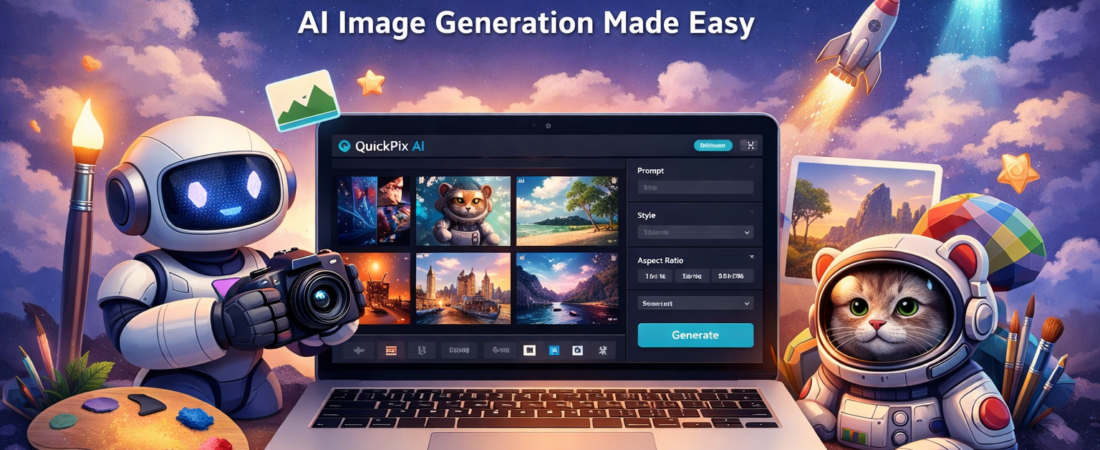
QuickPix AI is presented as an AI-powered image generation platform for creating graphics in a large range of visual styles. Based on the official product page and the public partner materials, it is positioned for marketers, content creators, small business owners, and beginners who want ready-made visuals for social media, websites, emails, and similar digital uses. Public promotional materials repeatedly highlight “unlimited” AI image generation, over 100 graphic styles, and ease of use as its core selling points.
One thing to note upfront: the publicly accessible information is fairly sales-page driven. That means this review should be read as an informed evaluation of the product’s positioning and claimed feature set, rather than a hands-on lab test with independently published technical documentation.
Quick Verdict
⭐⭐⭐⭐⭐⭐⭐☆☆ 7.4 / 10
QuickPix AI looks best suited to beginners, affiliate marketers, bloggers, and small businesses that want simple AI-generated visuals with minimal setup. It looks less compelling for advanced designers who need deep editing controls, transparent technical specs, API access, or clearly documented commercial licensing details.
👇 Try QuickPix AI on the Official Website
What Is QuickPix AI?
QuickPix AI is marketed as an AI image generation tool that lets users create custom images from a wide range of styles with just a few clicks. The messaging around the product focuses on speed, accessibility, and the ability to generate visuals without prior graphic design experience. Its public partner page describes it as software for creating unique images with AI, while third-party review pages referencing the product mention use cases such as social media graphics, websites, emails, product visuals, thumbnails, and book covers.
From a positioning standpoint, QuickPix AI appears to compete in the “easy AI design” category rather than the professional creative suite category. In other words, it seems built to help users get serviceable marketing visuals quickly, not to replace a full design workflow in Photoshop, Figma, or advanced AI image platforms with extensive controls. That distinction matters, because for the right audience simplicity is a strength, while for expert users it may feel limiting. This is an inference based on the product’s public sales messaging and available feature descriptions.
Key Features
1. AI image generation for non-designers
The main promise behind QuickPix AI is simple image creation through AI. The platform is described as suitable for users without design or AI experience, which suggests an intentionally simplified workflow. That makes the product potentially attractive for solo creators and small teams who value speed over precision-heavy editing.
2. More than 100 graphic styles
One of the most repeated claims across public materials is access to 100+ graphic or design styles. That likely means users can generate images in multiple looks without building separate prompts or workflows from scratch. For content marketers, that could be useful when moving between blog graphics, social images, promotional visuals, and simple branded assets.
3. “Unlimited” image creation positioning
The official page explicitly promotes “Unlimited” AI image creation. For heavy users, that may be one of the most appealing parts of the offer, especially if the pricing is positioned as a one-time purchase or lower-cost alternative to subscription-based tools. Still, buyers should verify any fair-use limits, resolution limits, or policy restrictions before purchasing, because the public-facing page does not spell out the technical boundaries in detail.
4. Marketing-friendly use cases
Third-party pages describing the software mention use cases such as social media content, website visuals, YouTube thumbnails, blog graphics, book covers, and product images. These use cases align with the overall sales angle of “faster content production” rather than fine art or enterprise-scale creative operations.
5. Claimed ease of use
QuickPix AI is consistently described as beginner-friendly and intuitive. That matters because a lot of AI tools lose mainstream users by offering too many settings too early. If QuickPix AI keeps the workflow lean, that could be a real advantage for users who only need usable visuals fast.
6. Pricing context
The partner program page mentions a current selling price of €99, with language suggesting that the price may increase after a countdown, while some external listings show other price points. Because pricing references are inconsistent across public pages, prospective buyers should confirm the exact live offer, upsells, and refund terms at checkout before purchasing.
Pros and Cons
Pros:
🟢 Beginner-friendly positioning
🟢 Focused on fast AI image creation
🟢 100+ style claim adds variety
🟢 Suitable for common marketing visuals
🟢 Browser-based workflow appears simple
🟢 “Unlimited” generation pitch may appeal to heavy users
Cons:
❌ Public information is heavily sales-page based
❌ Technical details are limited
❌ Pricing information appears inconsistent across sources
❌ Advanced editing depth is unclear
❌ Commercial usage and licensing terms are not clearly summarized on the public page
❌ May not satisfy professional designers needing precise controls
👇 Visit the Official Website
Is QuickPix AI Easy To Use?
Based on the language used in both the official and partner materials, ease of use is one of the product’s main strengths. Everything about the offer is written for a non-technical audience: quick results, no prior design skills, simple style selection, and rapid visual creation. That suggests the onboarding curve is likely lighter than many pro-grade design tools.
That said, “easy to use” does not automatically mean “best output quality.” In AI image tools, simplified workflows can come with trade-offs such as fewer prompt controls, limited editing flexibility, or less predictable output refinement. Since QuickPix AI’s public pages do not go deeply into editing parameters, output resolution, model details, or workflow customization, advanced users should keep expectations measured.
Who Should Consider QuickPix AI?
QuickPix AI seems most relevant for:
Content creators who need quick supporting visuals.
Affiliate marketers creating blog or promo assets.
Small business owners who do not want to hire a designer for every simple graphic.
Beginners experimenting with AI-generated visuals.
Users who care more about convenience than advanced creative control.
It seems less suitable for:
Professional graphic designers needing layer-based editing.
Teams requiring clear API or workflow automation documentation.
Buyers who need strong transparency on licensing and image rights before committing.
Users seeking a deeply documented platform with robust public product information.
Final Verdict
QuickPix AI appears to be a straightforward AI image generation tool built around accessibility, speed, and variety rather than technical depth. Its biggest strengths are the beginner-friendly positioning, the repeated claim of 100+ styles, and the appeal of fast visual generation for marketing use cases. For bloggers, affiliate marketers, and small online businesses, that may be enough to justify a purchase.
At the same time, this is not the kind of product that currently offers a lot of transparent public documentation. Important details such as exact live pricing, feature boundaries, commercial use conditions, and deeper technical capabilities are not clearly laid out on the main public page. That does not make it a bad product, but it does mean buyers should approach it as a convenience-focused tool and verify checkout details carefully.
Overall, QuickPix AI looks worthwhile for users who want simple AI visuals quickly and are comfortable buying from a sales-led offer page. For advanced design users, the safer choice may be a platform with stronger documentation and more transparent control options.
👇 Try QuickPix AI on the Official Website